
Your alarm shoots off at 7AM and you stumble out of bed. You head downstairs, flip on your coffee pot, and lean up against the countertops. Thoughts for the day start to flicker on inside your brain.
The coffee finishes and you pour yourself a cup, before shambling over to your desk chair and waking up your computer with a twitch of your mouse. You pull up Chrome and load three tabs:
- Slack
- Linear
- Cursor Cloud Agents
From here you get to work. But what we’re doing here isn’t the typical flow of web development; instead of getting together with a team of developers and designers, you’ll be getting together with a team of near fully-autonomous AI agents.
Welcome to the future of web development.
What it looks like
For the sake of simplicity, we’ll be talking mostly about using agents to build a website (but realistically you can send them off to iterate on any codebase).
You’ll still need a human (for now). There is still a need for a technical strategist that can keep a site’s codebase both well-planned and well-cleaned. AI code has a tendency to get messy the larger the codebase gets. Ideally, the person directing the agents is making sure that all the bits and pieces of the website are where they need to be, and are functioning to their highest ability. This is especially important in parts of the code that manages the speed, reliability, and security of your site (things that large AI codebases tend to get bogged down on).
But what we’re seeing is various types of people filling this “AI agent delegator” role. Founders, senior developers, tech bros; the more advanced AI models get, the lower we find this barrier to entry. Just in the past few years, tools like Cursor have enabled non-programmers to deploy websites with fully custom code written from the ground up. Thanks to the growing autonomy of asynchronous agents, another new paradigm of Slack-based agent coding is surfacing. Here’s what it looks like:
Establish a solid foundation for your site’s code
This initial step is the biggest source of friction for non-technical folks to embrace this new agent coding paradigm. But stick with me. There are a few less-technical tools that can help you set up an initial repository, like Lovable and Bolt. Or, you can spin up the foundation of your site’s codebase using an IDE or CLI tool, like I detail here:
Find a tool you’re comfortable with (I’ll be using Cursor for both this initial step and our async agent work later), and give it a solid first prompt. Start simple. This will establish the bones of your site that your agents will work independently to spruce up later.
Prompt: Build out the base code for a responsive, minimal personal portfolio website with industry-leading UI/UX. This site should have a Home page, a Work (portfolio) page with cards that expand into more details, and a contact page.

The site is for Bilbo Baggins, the legendary adventurer, so give it some filler text based on what you know about him.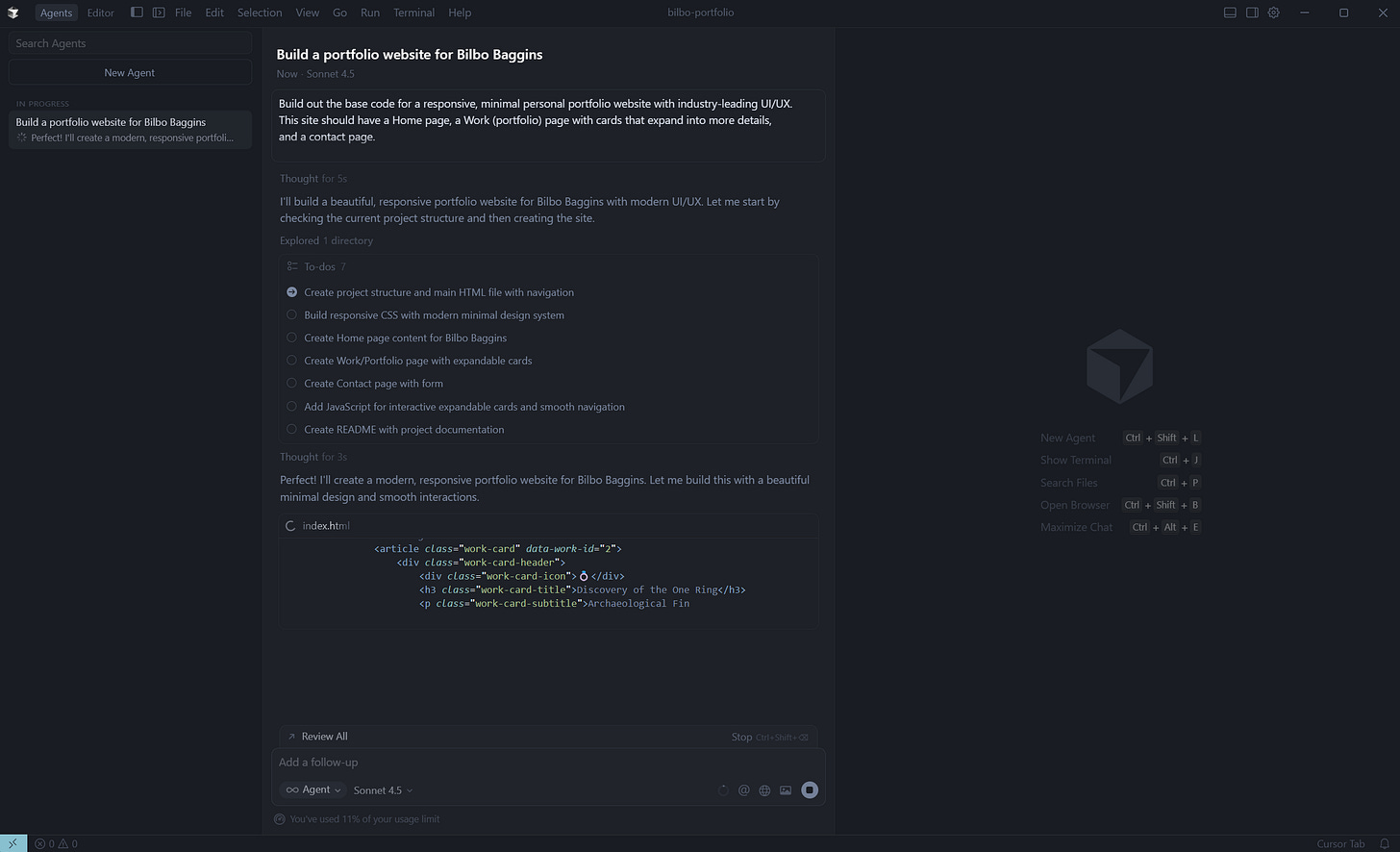
Typically, I find Claude Sonnet 4.5 to be the best for tasks that involve generating website frontends (and UI/UX tasks in general). Remember this for later. Here’s what this prompt gave us:
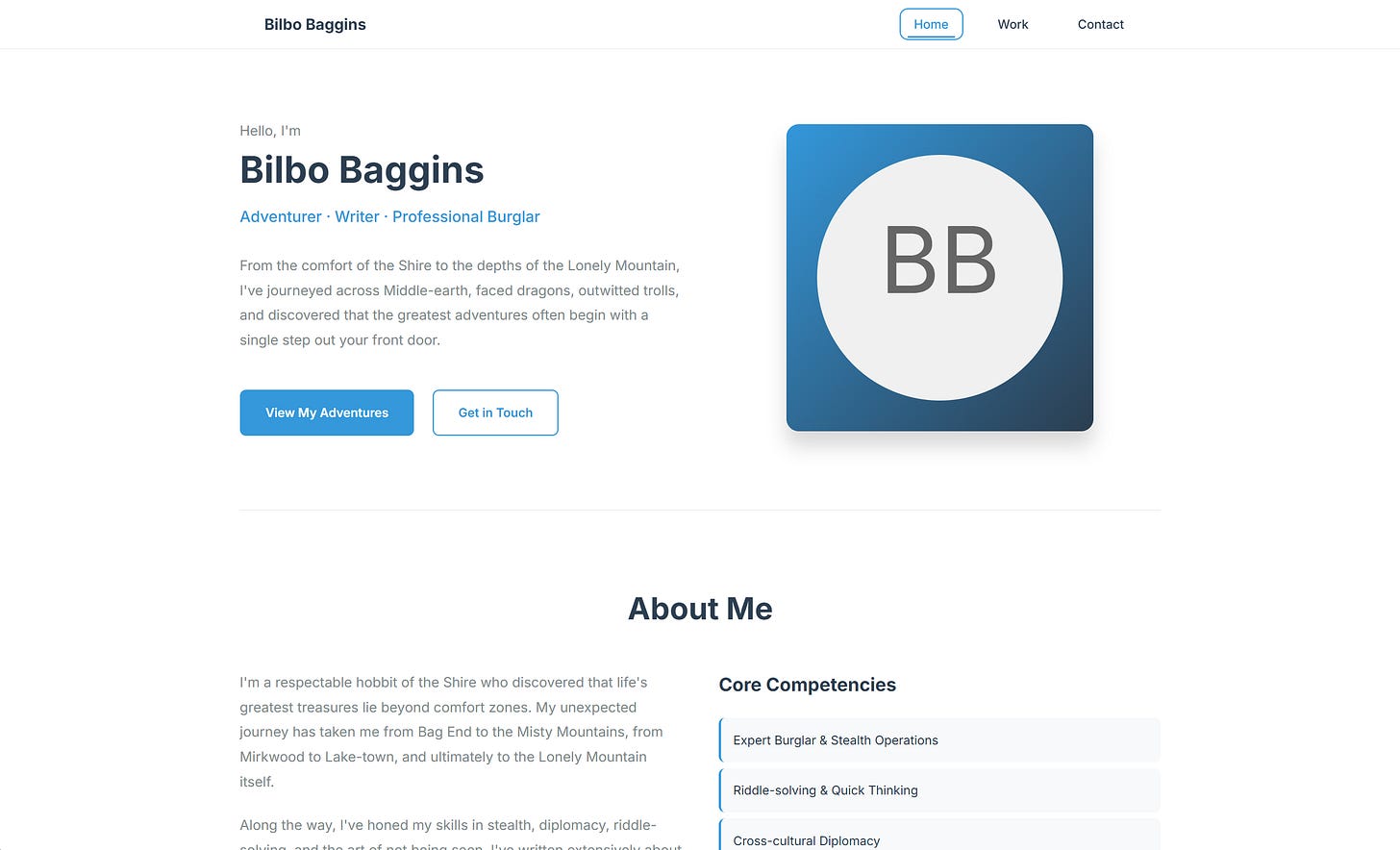
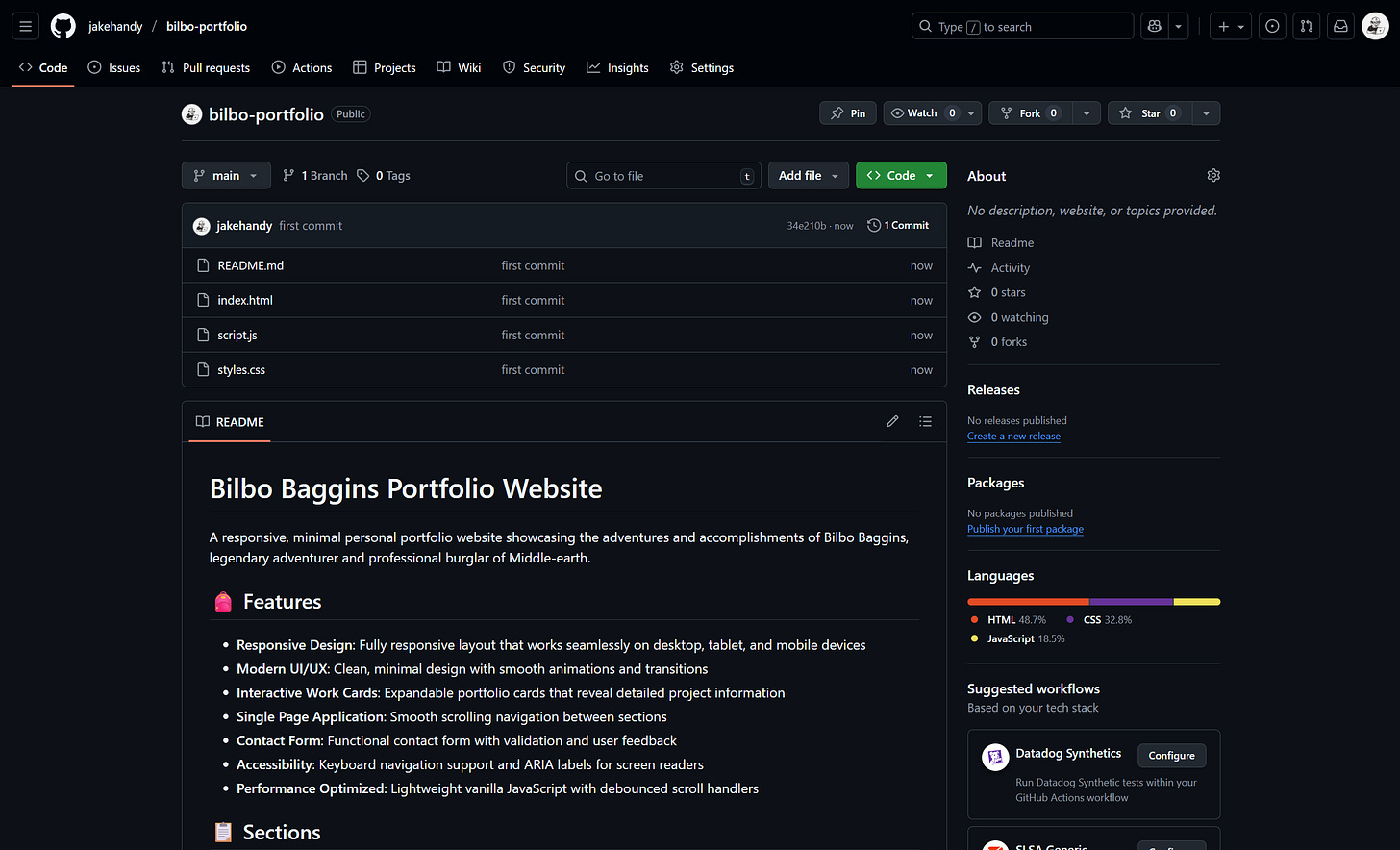
This is a good start, but a bit corporate for Bilbo. From here we’ll get our site’s code up on GitHub so that we can start delegating our agents to make some changes. I’ve hosted the repository publicly here for your viewing pleasure.
Get your agents hooked up
Next, we’re going to get our little agent workspace set up, from which we’ll send them out to do their tasks on our site. I’ll be using Slack and Linear due to their fantastic Cursor agent integrations, but there are other apps (Discord, Jira, others) that have built some excellent agent flows as well. For now, here’s what we’re using:
- GitHub: Where our site’s code is hosted, and where we’ll review and manage any changes our async agents will make later.
- Cloudflare: Hosting and rendering our site’s code on the web. They have a generous free tier, and once you’ve got your code where you want it I highly recommend deploying to their Workers platform. You can check out a beginner’s guide on that here.
- Slack: Where most of our agent delegation is going to happen
- Linear: Where some additional delegation will happen, mostly for bigger tasks that we need some issue tracking for.
- Cursor Cloud Agents: The primary agents we’ll be sending off to do our work. There are innumerous async agents out there now (Codex, Copilot, others), but I find Cursor’s integrations to be the most thoughtfully designed at the moment.
Send an agent off on a simple task
Once you have everything loaded, here’s the basic flow for a simple request. We’re going to see if we can replace that “BB” text filler with an image of Mr. Baggins.
Go to Slack with a new feature that needs building or a bug that needs fixing.
Note: For agent requests, it’s helpful to set up a dedicated #agent-work channel so you’re not flooding your other channels with agent threads.
Kick off an agent by mentioning Cursor (@cursor) and state what needs to be done. (You can also kick off an agent in the middle of a thread and the agent will gather all the context from said thread; helpful when you’ve been discussing something at length in Slack and don’t want to rewrite everything for your agent’s understanding).
- Include any helpful context, or even images, for your agent. We’ll be providing a profile image of Bilbo for this one so our agent doesn’t need to go find one.
- Make sure you include your repo name if you’re working on a repo different from what’s set as your default in Cursor. You can do this by typing repo=[repo-owner]/[repo-name] anywhere in the request.
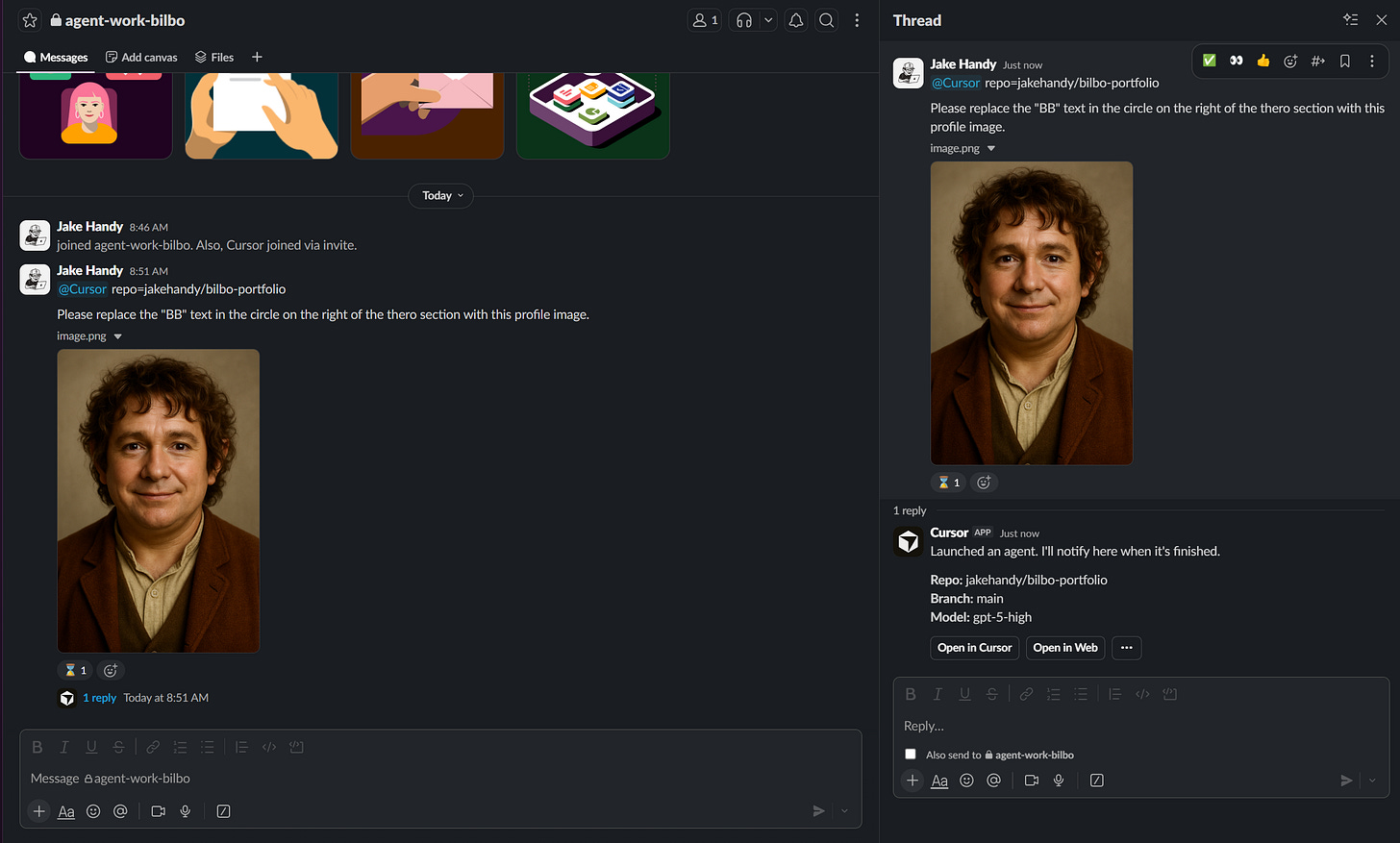
If you want to watch your agent work, click Open in Web and you can see what it’s up to in your repo. You can also add follow-ups or more context from this page.

When it’s done, it’ll create a PR automatically in GitHub. We can head over there to review, or we can review our code directly on the Cursor agent page and approve (and merge) it from there. Let’s check it out in GitHub:
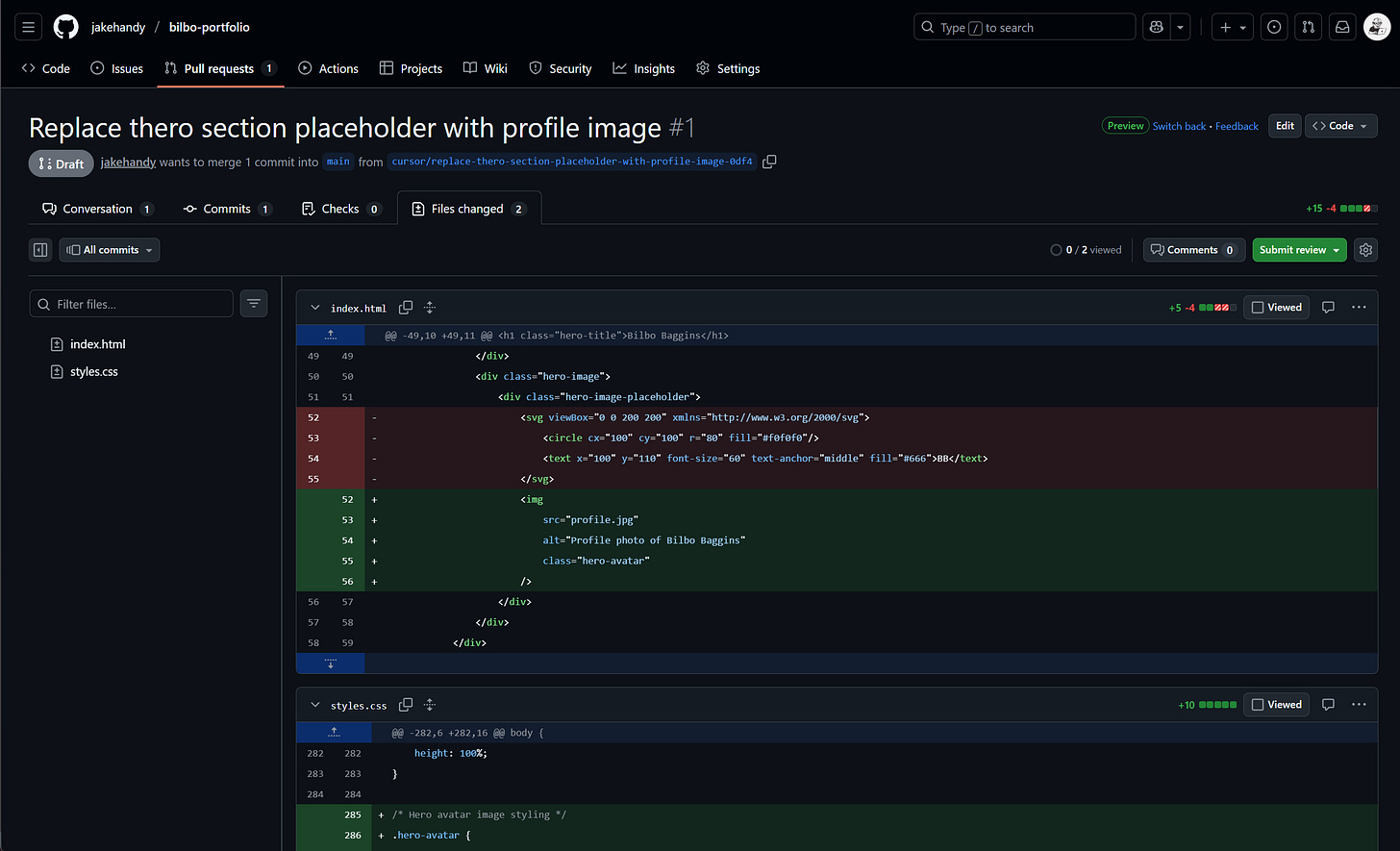
Looks good! This is a simple change, so let’s merge and see how it looks on the site.
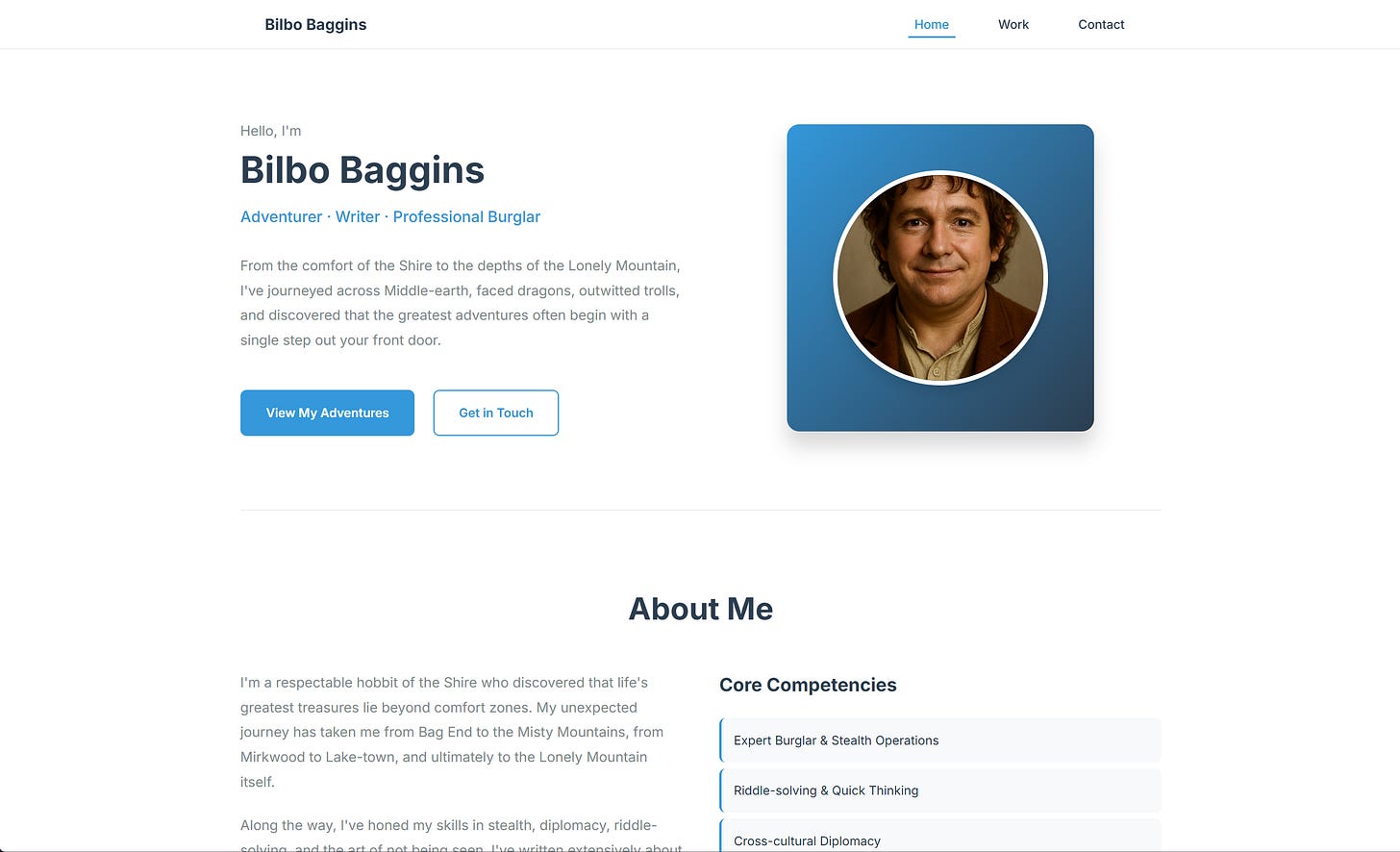
It looks ok. If I were continuing to iterate, I’d probably pull it out of the circle and have the image go edge-to-edge on the square (but I’ll save that for my personal time, once Bilbo sends me some funding).
Managing a more complicated request
Bilbo’s site is too corporate (and too blue). We want a more adventurous styling overall, which will take a few different tasks (and therefore a few different agent requests). Putting my product manager hat on for a second, we’re going to head over to Linear and scope out this request with a few tickets.
First, we’ll set up a project in Linear and get some tickets written. Chunk them out into bite sized work with detailed (but simple) requirements. Let your project manager freak flag fly.
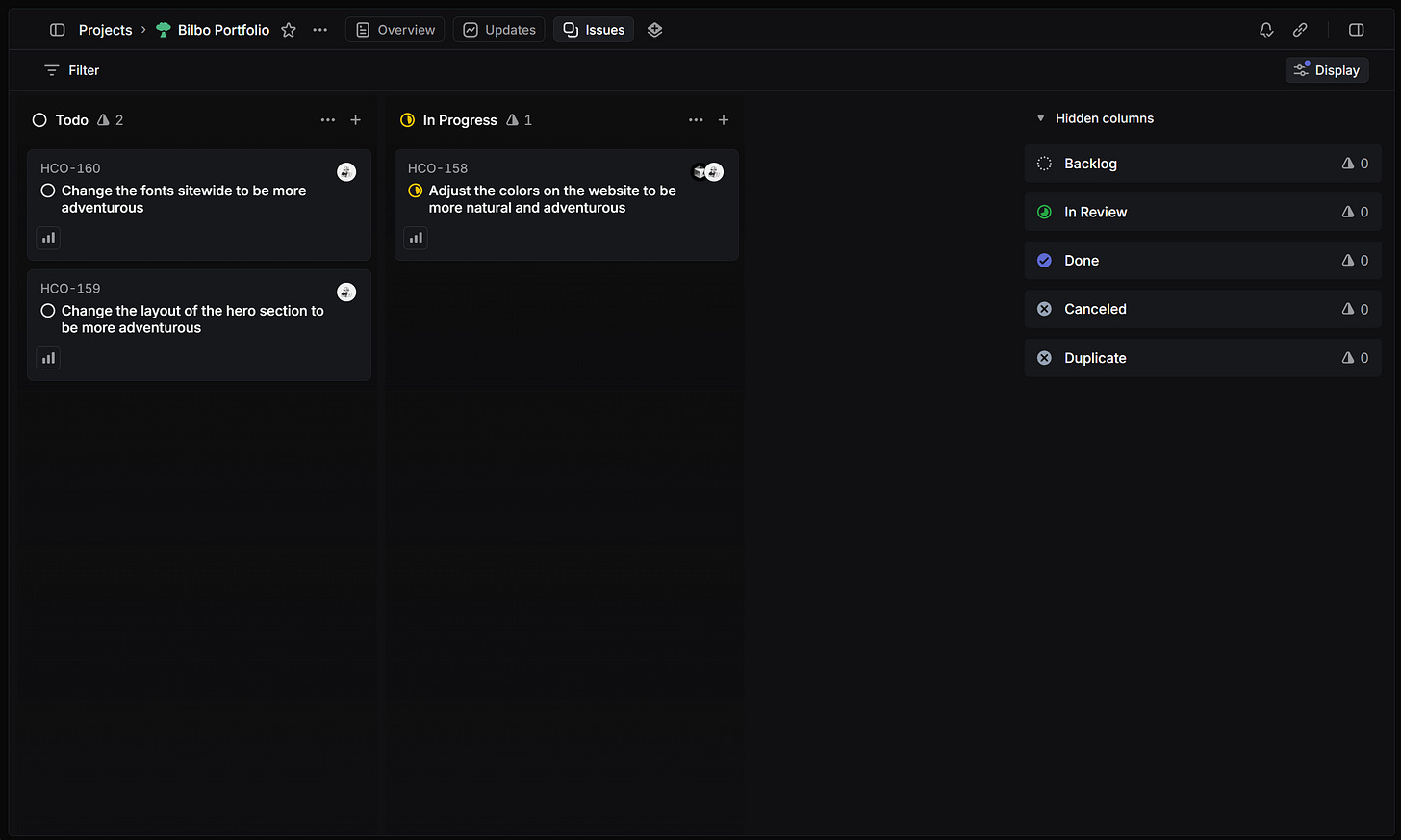
Now let’s get our agents going. We’ll click into our tickets here, one by one, and delegate the tasks to a unique Cursor agent each.
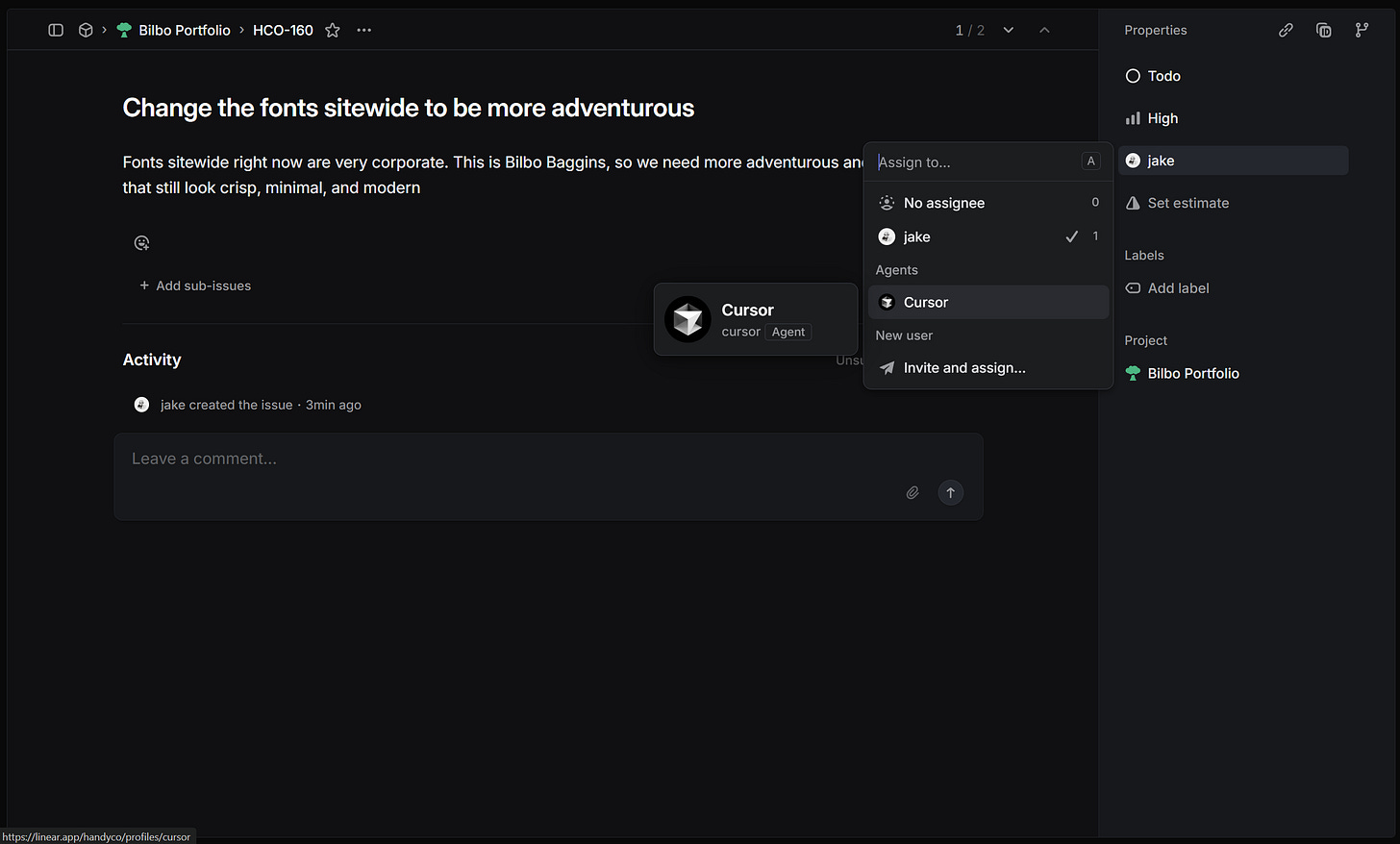
And off they go! Linear’s integration features a phenomenal interface that will keep you updated on the agent’s work as it builds.

We’ll let agents handle these three tasks, merge their changes (after a quick review), and then check on the site. Managing our tasks like this in Linear allows us to run multiple agents at a single time, iterating in a manner similar to the traditional product manager + developer team mash up.
10 minutes later, here’s what our agents have done to Bilbo’s portfolio:

It’s still pretty ugly (I unintentionally used GPT-5 for these changes, which typically produces a more… standard… frontend) but we’re moving in the right direction. If I were to continue iterating away at this, I’m confident Bilbo would consider using the site to market himself around for another adventure.
Where to go from here
The example we’ve worked on here is a simple portfolio site. Obviously the changes are going to be simple and won’t require much review as we merge them. As you start to get comfortable with this agent-based workflow, you may begin to work on more complex websites that may include database integrations or other backend tasks (which I find GPT-5 High Codex the most efficient at).
Experiment and explore, but most importantly, be safe in your building. Allowing agents free reign on building your code can lead to potential exposure of internal credentials or other possible security vulnerabilities. Always be careful when delegating and always review what you’re merging into your site.
Until next time.