
OpenAI is introducing the GPT Store this week, paving the way for anyone to create their own custom versions of ChatGPT, known as “GPTs”. This will offer an easy-to-use platform for creating AI tools tailored to specific needs, whether for personal, professional, or educational purposes. Create a valuable enough GPT that folks use and you could end up with some significant money from OpenAI’s GPT Store revenue share.
Let's dive into a step-by-step guide on how to create your own custom GPT within ChatGPT.
What are GPTs?
GPTs are custom versions of ChatGPT that users can tailor for specific tasks or topics. You can make them as simple or as complex as necessary, addressing a wide range of applications from language learning to technical support. This new feature is currently available to ChatGPT Plus and Enterprise users.
Step 1: Log In and Start Creating
- Visit chat.openai.com and log in with your ChatGPT Plus or Enterprise account.
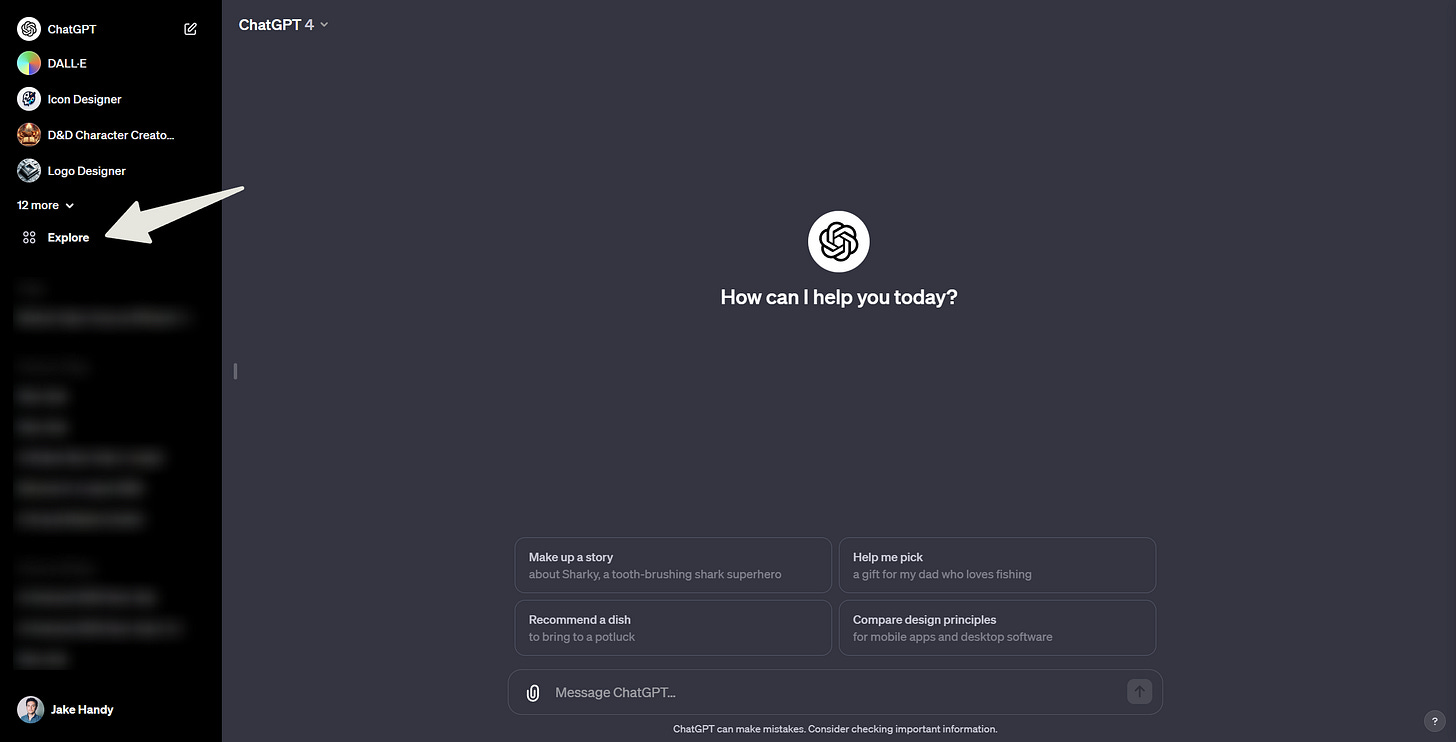
- In the sidebar, click on Explore
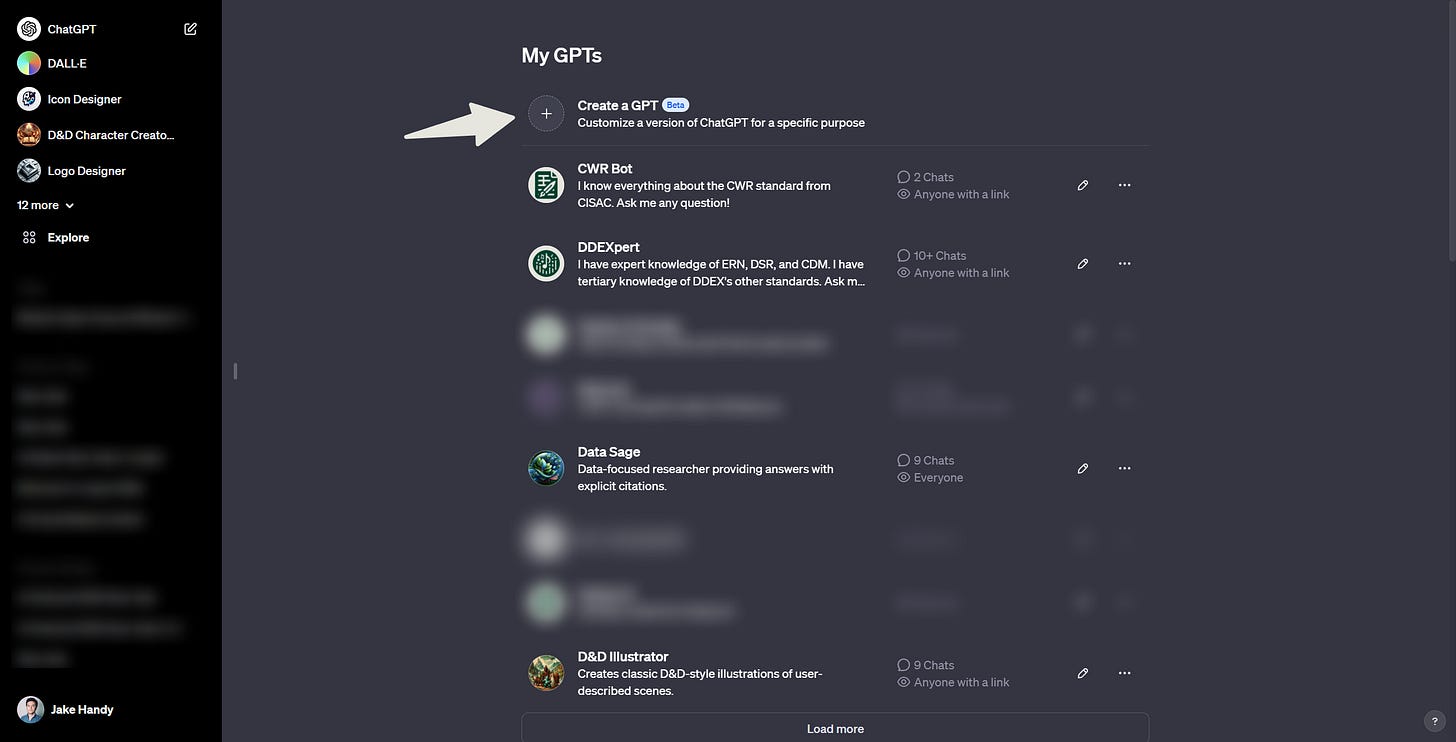
- Select Create a GPT
Step 2: Define Your GPT’s Foundation
- Enter your instructions in the Create page's message box. Be as specific or as general here, depending on what you’re looking for. I’m going with, "Make me a GPT that can convert WAV files into MP3 files."
- The GPT Builder will suggest a chatbot name, profile picture, and default conversation starters. You may also be asked to provide a tone for your GPT. Have fun here and modify as needed.
- Interact with your chatbot in the Preview panel. This interaction helps you understand how to refine it further.
- Continue refining your prompts via chat until your chatbot starts generating the responses you desire.